Reporting
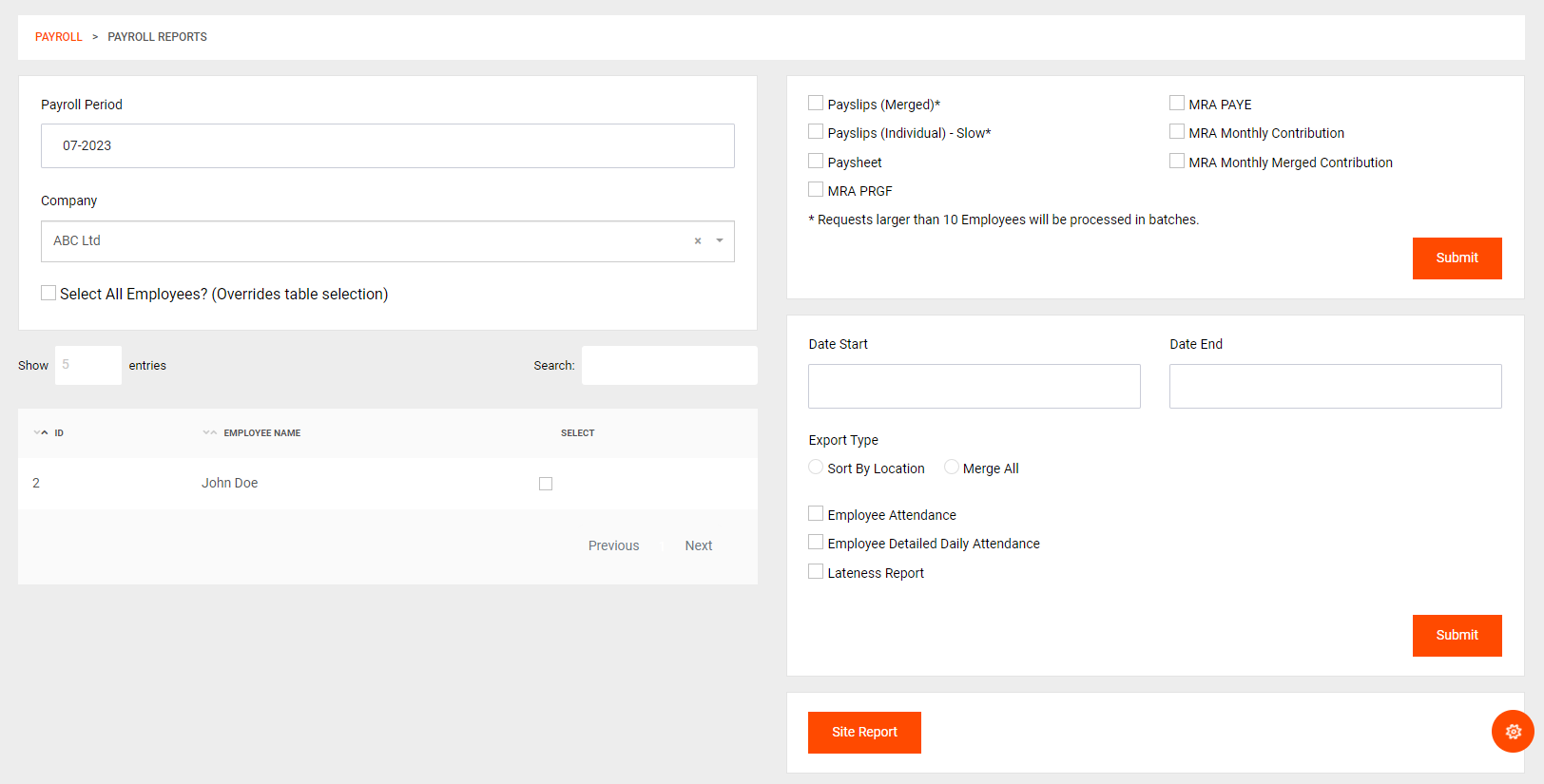
To access payroll reporting, go to Payroll > Reports in the navigation menu.
The reporting feature allows you to generate various reports related to payroll and employee data. Follow these steps to generate reports:
Select Your Pay Period: Choose the specific pay period for which you want to generate reports. This ensures that the reports accurately represent the payroll data for the selected time frame.
Select Employees: You can either generate reports for ALL employees or selectively choose employees from the table on the bottom left. This flexibility allows you to generate reports for specific groups or individuals based on your requirements.
Choose Report Type: Select the type of report you would like to generate. The reports use data from the information of employees and other calculated information to provide comprehensive insights.
MRA Reports: These reports are continuously updated to ensure they are up-to-date and can be imported on the MRA Portal as soon as they are exported from WageBoxx. MRA Reports are calculated using Governmental Regulations, ensuring compliance with the latest standards. For more information, refer to the dedicated pages on MRA reporting.
Attendance Report: The Attendance Report can be generated for selected employees and is independent of the pay period. You can choose to group the attendance report by location or keep it ungrouped for different analyses.
Site Report: The Site Report provides detailed information about employee presence at various locations. This type of report is especially useful for companies like security firms that need presence data for specific locations.
- Report Formats: Most of the generated reports are available in CSV/XLSX formats, providing easy data manipulation and analysis. However, the payslips and paysheets are provided in PDF format or zipped PDFs for secure and convenient distribution.
Please note that the availability of certain reports may depend on your company's subscription plan or access levels. Ensure that you have the necessary permissions to generate specific types of reports.