Login
To access your account, please make sure you have the following information ready:
Username and Password: Ensure that you have your unique username and password, provided to you during the registration process.
Subdomain: In order to log in, you will need to access your portal using your specific subdomain. A subdomain is like a personalized address for your WageBoxx account. It is a part of the main domain (wageboxx.com) and helps us direct you to your dedicated HR management portal. Think of it as a customized entrance to your own secure corner within WageBoxx's platform.
Example: If your company's name is "ABC Inc.," your subdomain could be "abcinc." Therefore, your personalized portal address would be "abcinc.wageboxx.com."
Logging In
Open your web browser and type or paste the following address into the URL bar:
<subdomain>.wageboxx.comReplace
<subdomain>with your company's specific subdomain. Hit "Enter" to proceed.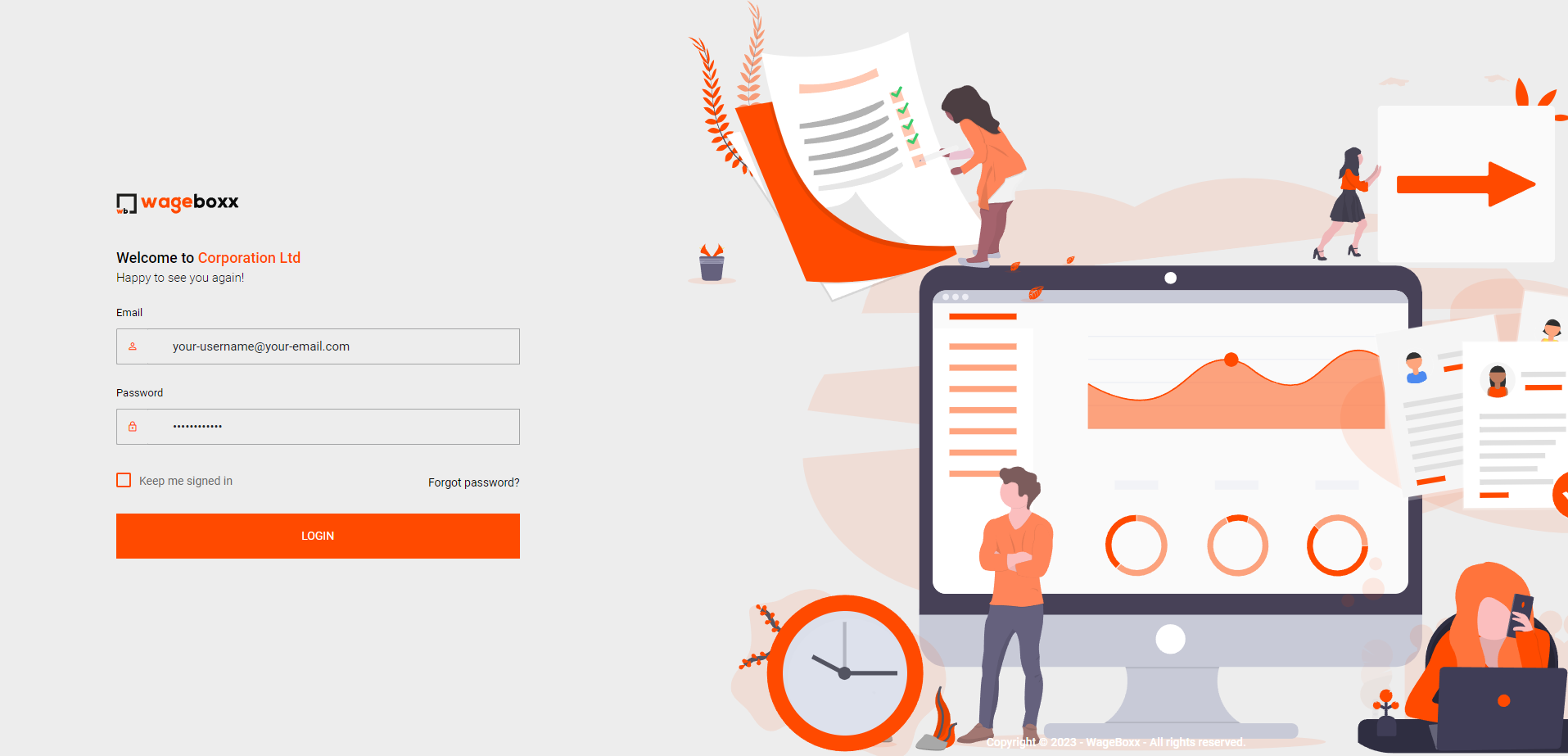
You will now be directed to the WageBoxx login page. Please enter your registered username and password in the respective fields.
Once you have entered your login credentials, click on the "Login" button to access your account.
Different User Roles
WageBoxx is designed to cater to the needs of various stakeholders in your organization. Here are the different user roles and their respective privileges:
Admins: Administrators have full access to the WageBoxx portal and can manage user permissions, view company-wide data, and configure HR settings.
HR: HR personnel can use WageBoxx to streamline employee management, handle leave requests, track attendance, and manage payroll.
Employees: Employees can access their own profiles, check their attendance records, apply for leaves, and view their payslips.
No matter your role within the organization, WageBoxx offers a user-friendly interface and a range of features to simplify HR management and streamline day-to-day tasks.
SSL Certificate Check
We prioritize the security of your data. When accessing WageBoxx through your browser, ensure that the website's URL starts with "https://" instead of "http://". The "s" in "https://" indicates a secure connection, protected by an SSL (Secure Socket Layer) certificate. This encryption ensures that all data transmitted between your device and WageBoxx's servers remains confidential and safeguarded from potential eavesdropping or unauthorized access.
If you encounter any issues during the login process or have any questions, please feel free to contact our support team at support@wageboxx.com. We are here to assist you in making the most of your WageBoxx experience.
Thank you for choosing WageBoxx as your HR management solution. We wish you a seamless and productive experience!
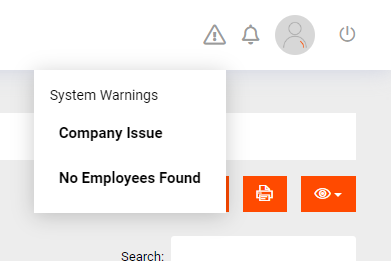
System Warnings
Once logged in, the user can view system warnings. These are warnings that need to be solved before any payroll can be processed. You can click on any issue to be guided towards fixing it.