Employees - Preliminary Setup
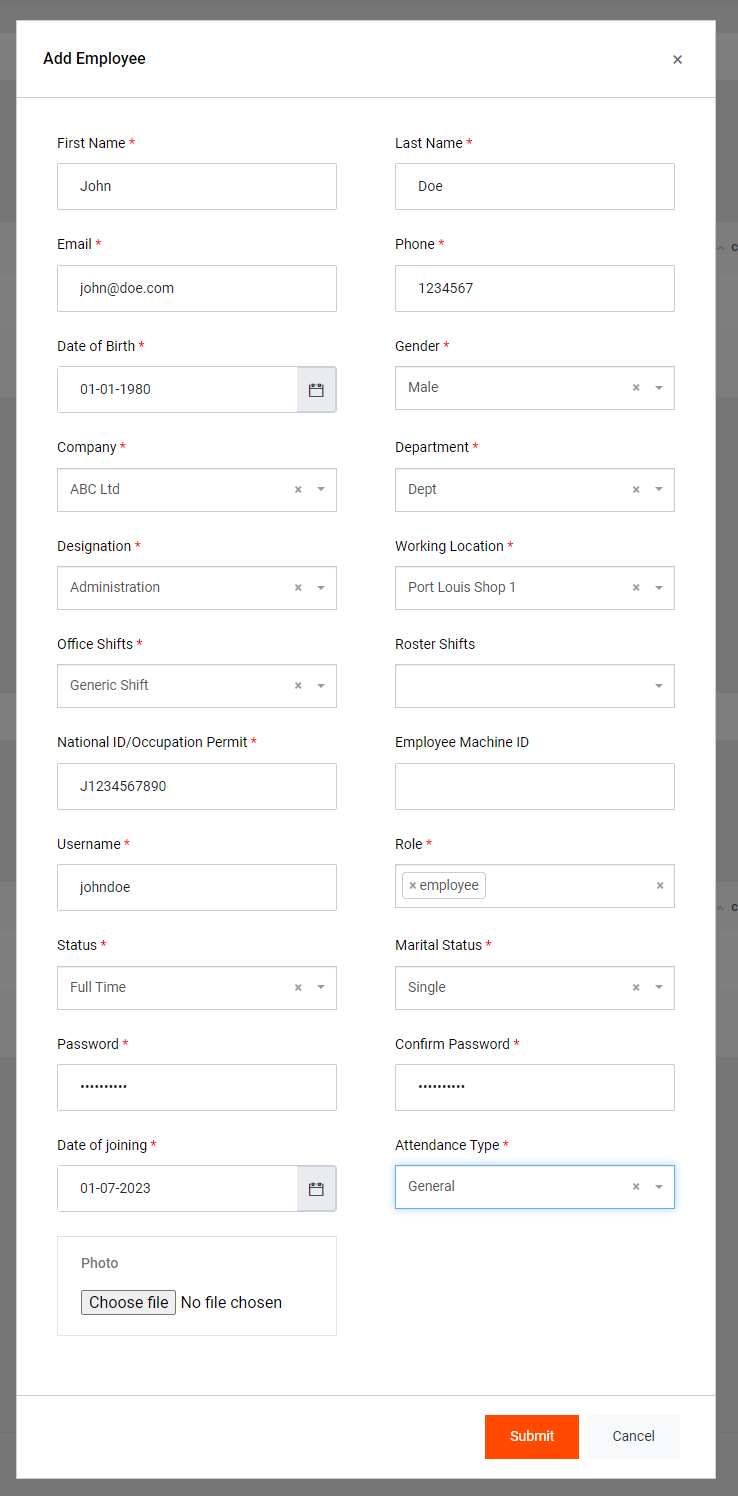
Add Employee
To add a new employee to the system, follow these steps:
Role (show picture): Employees can have different roles within the organization. However, the "Employee" role is crucial for Payroll Calculation. Make sure to include this role when adding an employee.
- Role Page: Learn more about roles and their functionalities.
Username: Assign a unique username to the employee, which will be used for login purposes for accessing payslips and other relevant information.
Status: Choose the appropriate governmental status code for MRA filing. This is necessary for compliance with legal requirements.
Password: Set a password for the employee account. The password should be a minimum of 6 characters in length to ensure security.
Add Bank Account
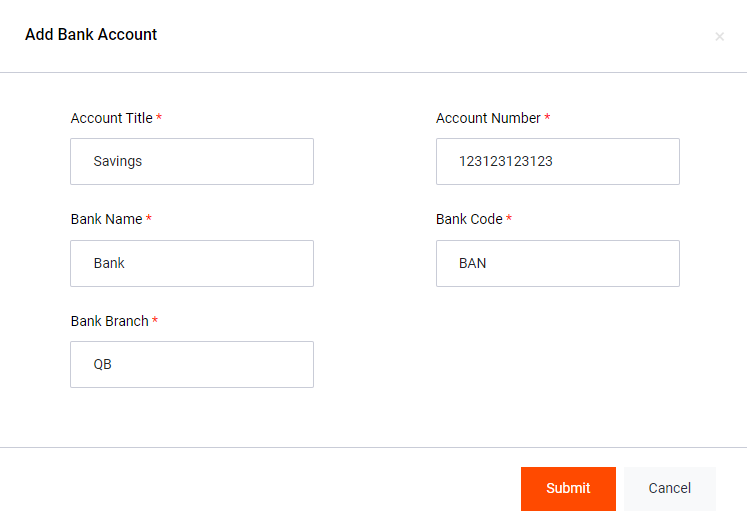
To add the employee's bank account details, follow these steps:
Go to the employee list and find the desired employee. Click on the employee's name to view their details.
Navigate to the
General > Bank Accountsection.Provide the required bank account details for the employee, including account number, bank name, and other relevant information.
Under
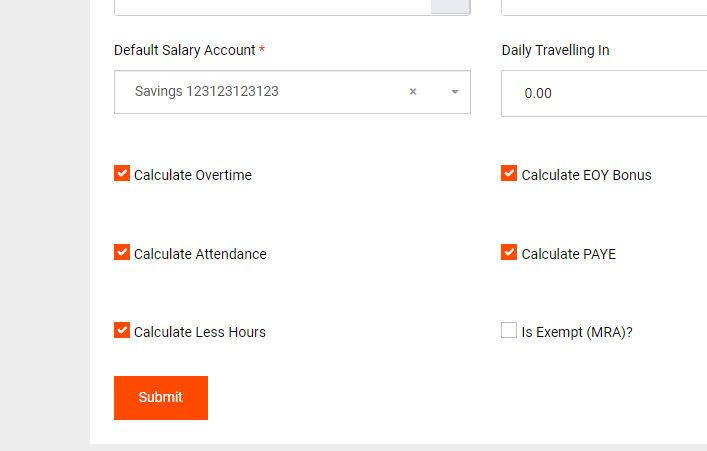
General > Basic, add the recently created bank account as the default salary account (see below).
Add Basic Salary
To set up the employee's basic salary, follow these steps:
Find the employee whose salary you want to configure by going to the employee list and clicking on their name to view their details.
Navigate to
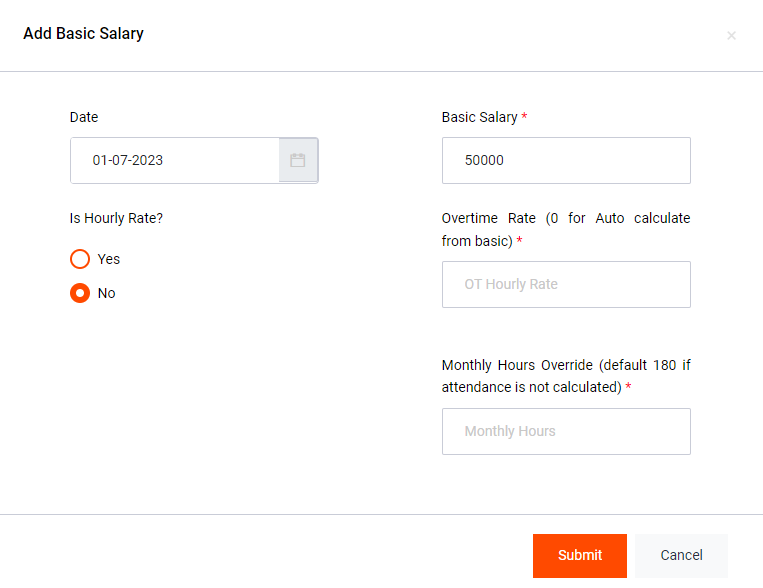
Set Salary > Basic Salarysection.Fill in the necessary details for the employee's basic salary, additional information is provided below.
Important:
Is Hourly Rate: This option determines how the basic salary is used. If selected, the basic salary will be considered as an hourly pay rate; otherwise, it will be used as a monthly salary.
OT Override: The OT (Overtime) override is useful when you want to manually calculate overtime pay. For example, if you wish to allow 3x more overtime pay per hour, you can use this override. This setting applies to OT 1.5 and scales up from there for OT 2x and OT 3x.
Monthly Hours Override: This option allows you to override the total calculated hours used in the salary calculation. For instance, the hourly rate input might be derived from a simple calculation like Monthly Salary / (26 workdays * 8 hours). However, if you have a specific value you want to use for this calculation, you can set it here.
Remember to save the changes after completing each step to ensure that the employee's information is accurately reflected in the system.