Organization - Preliminary Setup
In this section, we will guide you through the preliminary setup of your organization in our system. The setup involves creating the necessary components for smooth functioning. These components include Company, Department, Designation, and Location.
1. Company
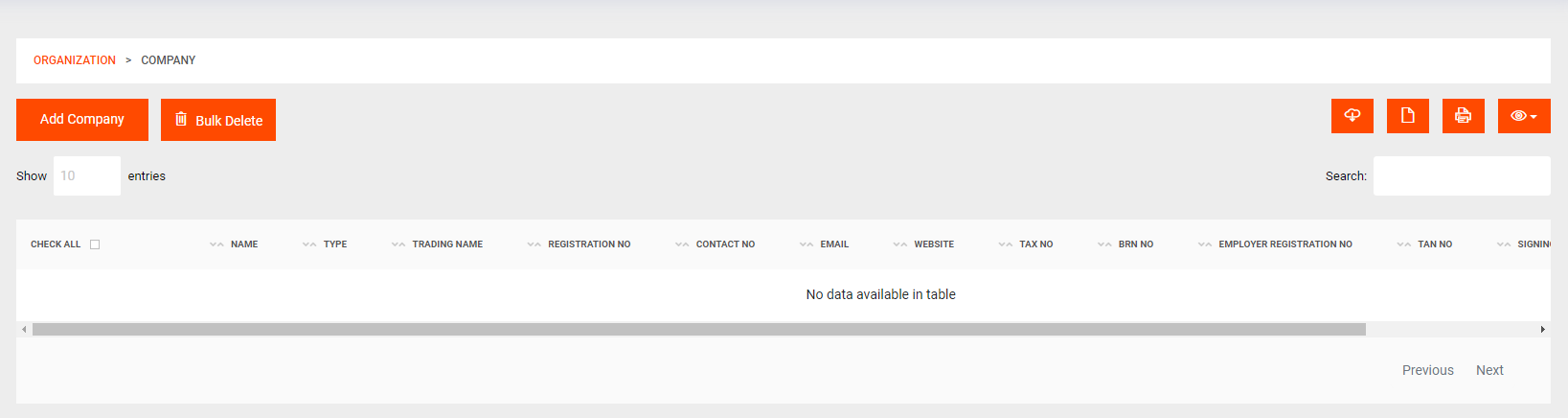
A Company represents your organization as a whole. To add a new company, follow these steps:
Organization > Company- Click on the "Add Company" button.
- Fill in the required details for the company, such as name, address, contact information, etc.
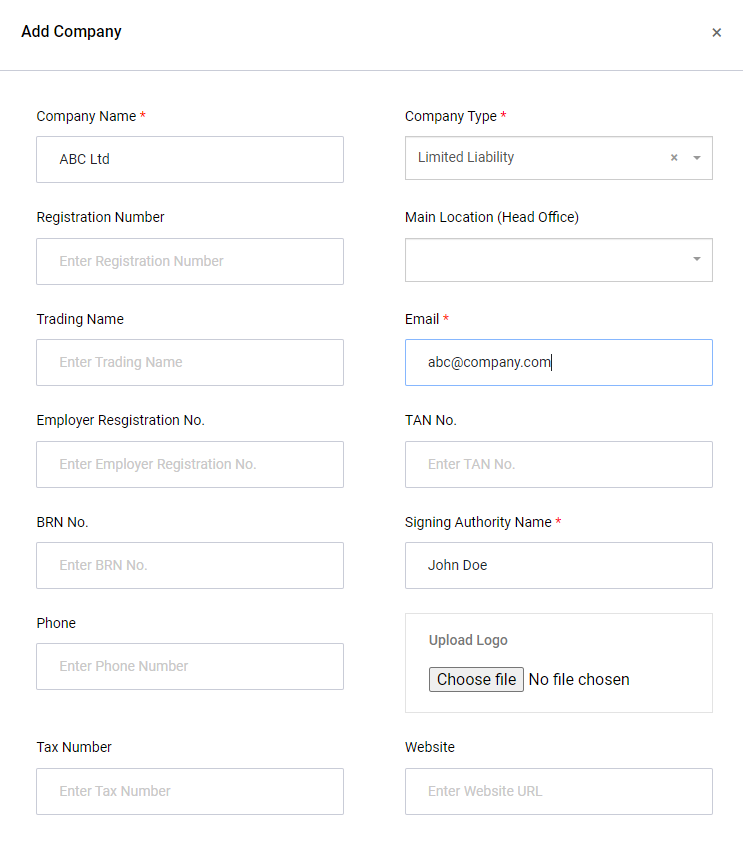
- Click on the "Submit" button to save the company information.
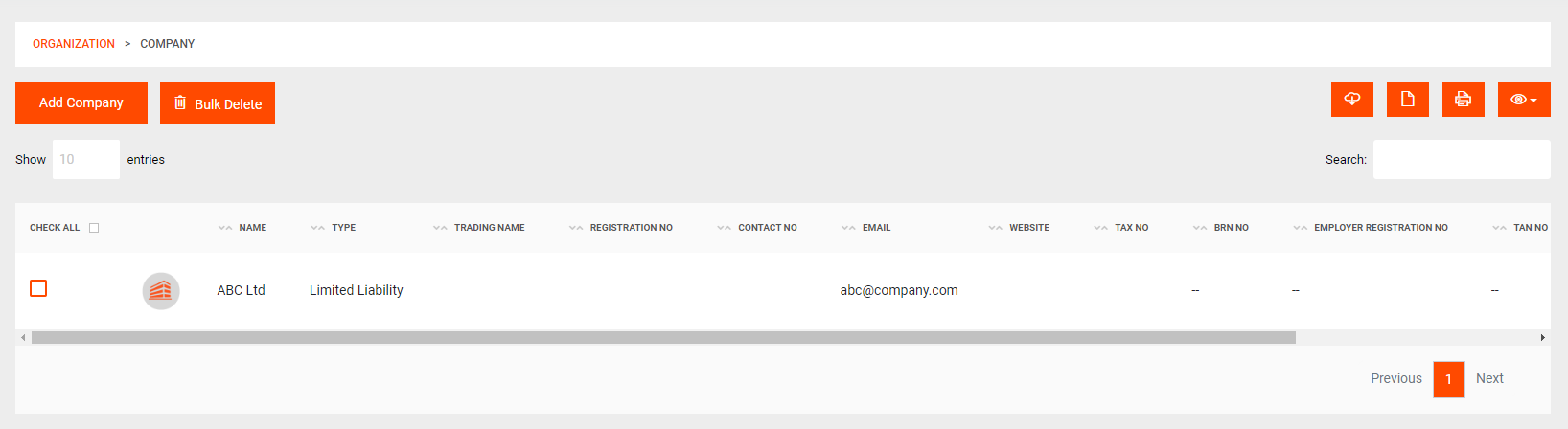
- Once added, you can view the list of companies.
2. Department
A Department is a main administrative segment within your company, such as "Administration," "Marketing," "Operations," etc. To add a new department, follow the steps below:
Organization > Department- Click on the "Add Department" button.
- Provide a name for the department, indicating its purpose and function.
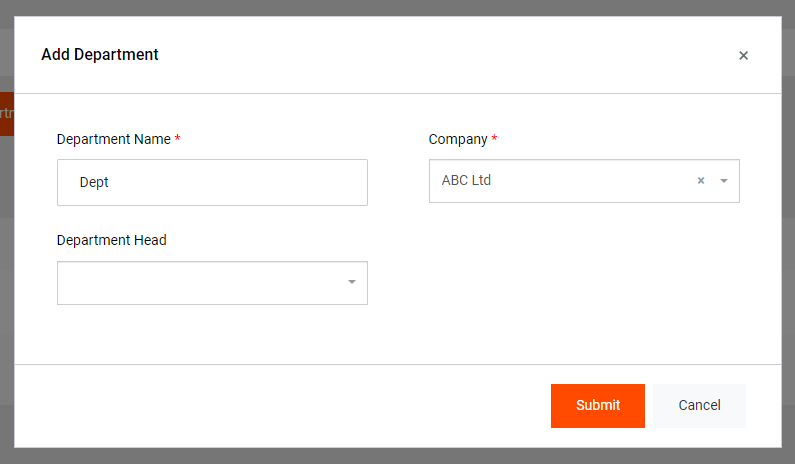
- Click on the "Submit" button to save the department details.
- Once added, you can view the list of departments and their respective information.
3. Designation
A Designation represents subcategories within a department, such as "Technician," "Receptionist," "Manager," etc. To add a new designation, follow the steps below:
Organization > Designation- Click on the "Add Designation" button.
- Provide a name and description for the designation, explaining its role and responsibilities and assign to a department.
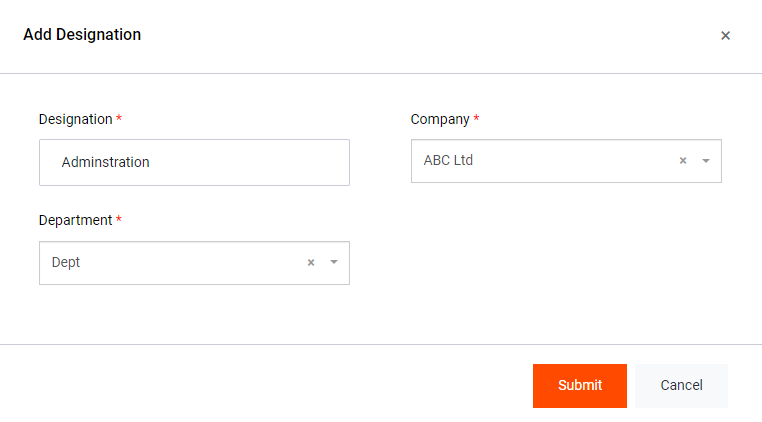
- Click on the "Submit" button to save the designation information.
- Once added, you can view the list of designations and their respective details.
4. Location
A Location represents a place where employees will be assigned to work, such as "Shop 1," "Headquarters," "Branch Office," etc. To add a new location, follow the steps below:
Organization > Location- Click on the "Add Location" button.
- Provide a name, address, and other necessary details for the location.
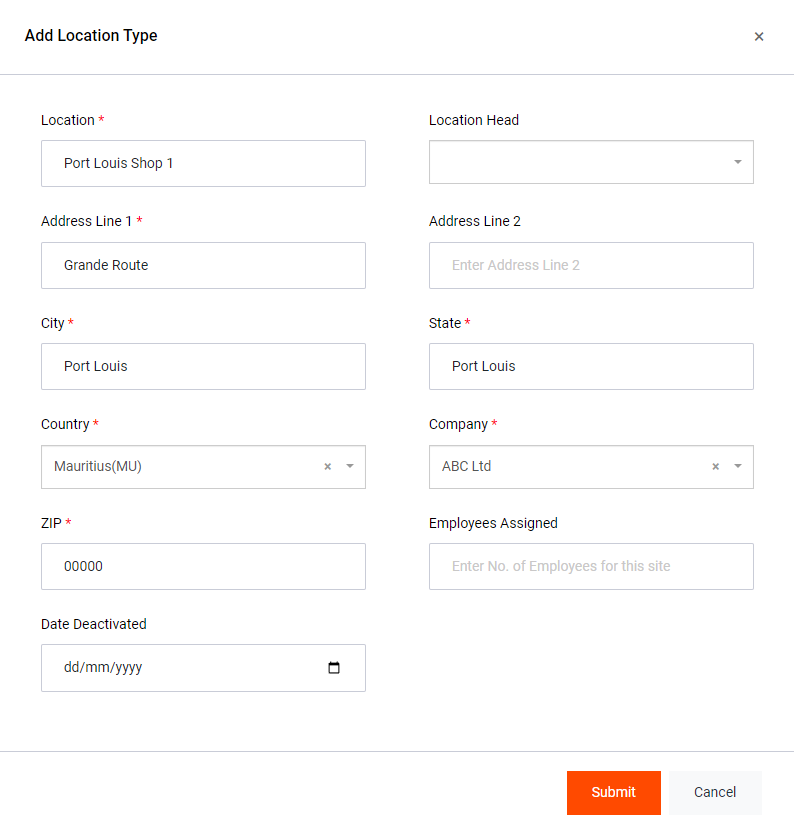
- Click on the "Submit" button to save the location information.
- Once added, you can view the list of locations and their respective details.
Congratulations! You have now completed the preliminary setup for your organization. This foundation will help you efficiently manage and organize your employees and their roles within the company.
Note: You can add as many of these as you may need/want.